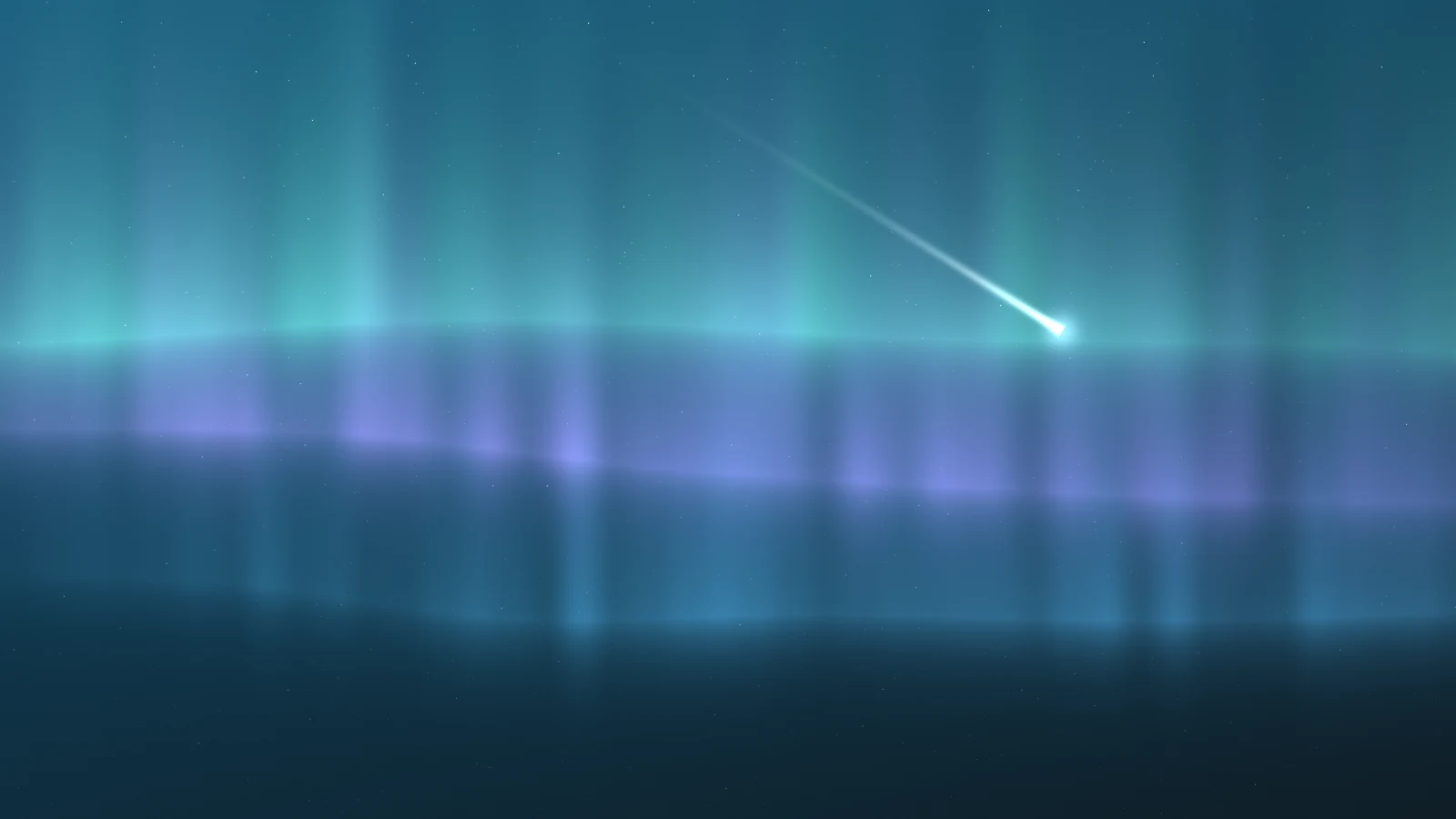
The header of this blog is a sky. At night it is three aurora curtains, stars that twinkle at their own pace, and a meteor every 20 to 40 seconds. In the light theme the same band becomes a pastel dawn, with cloud decks lit gold from below and a low sun that a passing cloud hides and gives back. It shipped on 2 September, it uses no graphics library, and before I built it I had never written a single line of GLSL.
That last part is why this post exists. It is the diary of getting there, in the order I had to learn things, written for the me who will have forgotten all of it in a year.
Everything here is WebGL 1 and GLSL ES 1.00, which is what canvas.getContext("webgl") gives you. The React around it happens to be Next.js 16, and the shaders do not care: a context, two shaders, one buffer and a draw call is all they need.
If you just want the finished files:
src/components/blog/AuroraCanvas.tsx, the component, the loop and the plumbingsrc/components/blog/AuroraCanvas.glsl.ts, both shaders
Two files, about 700 lines, one triangle. Not one triangle per curtain: one in total, and half of it is never on screen. Each section below is something I wanted on screen, the one idea I had to learn to get it, and the code that came out.
Day one: a canvas that draws nothing
What I wanted was anything at all. One frame, any colour, proof of life. What I had was a <canvas> and a vague memory that WebGL is the fast one.
Some definitions first, because I needed them before the docs made sense. WebGL is the browser API that hands work to the graphics card. The card is not one fast computer. It is thousands of small ones, all running the same tiny program at once on different inputs. That tiny program is a shader. You write it in GLSL, a small C-like language, ship it as a string, and the browser compiles it for whatever hardware shows up. There are two kinds and you always need both. A vertex shader answers "where are the corners of my shape". A fragment shader answers "what colour is this pixel". Between them sits the rasteriser, fixed hardware that works out which pixels the shape covers. You never write that part.
The only part that looks like normal web code is asking for the context:
let context: WebGLRenderingContext | null = null;
try {
  context = canvas.getContext("webgl", {
    alpha: true,
    antialias: false,
    powerPreference: "low-power",
  });
} catch {
  /* no WebGL: the band gradient underneath is the fallback */
}
If that returns nothing, the component gives up. The sky is decoration, so it fails back to a page that already looked finished: the CSS gradient underneath. First design decision. Keep that getContext call in mind. It bites later.
One more piece of setup: each shader string compiles into a shader object, the two link into a program, and a draw call runs the program. getAttribLocation and getUniformLocation give JavaScript a handle to each named input. Every uTime-style variable in this post is one of those handles.
Day one still ended with nothing on screen. Miss any step (compile, link, upload, draw) and you get an empty canvas and no message. There are logs if you ask, getError and the shader info logs, but nothing volunteers, and valid GL with wrong logic has nothing to log. Silence is WebGL's default error message. Two references kept me going: WebGL Fundamentals for the plumbing, The Book of Shaders for everything the pixels do.
One triangle, because a rectangle has a seam
Next I wanted the fragment shader running on every pixel of the band. The card only shades pixels inside the geometry you give it, so I needed a shape that covers the screen.
First, where shapes live. After the vertex shader, everything is measured in clip space: a square from -1 to 1 on both axes, whatever the canvas's real size. Inside it, you can become pixels. Outside, you are clipped before any pixel work happens.
Here is my entire vertex stage:
export const VERTEX_SHADER = /* glsl */ `
  attribute vec2 p;
  void main() {
    gl_Position = vec4(p, 0.0, 1.0);
  }
`;
A vec2 is two floats travelling together (vec3 and vec4 are three and four), and an attribute is a per-corner input read from a buffer. This shader puts each point exactly where it was told, with z at 0 and w at 1, which only matter for 3D. In a 3D scene this stage does the camera maths. Mine just holds the door, because the buffer already holds clip-space coordinates:
const buffer = gl.createBuffer();
gl.bindBuffer(gl.ARRAY_BUFFER, buffer);
gl.bufferData(
  gl.ARRAY_BUFFER,
  new Float32Array([-1, -1, 3, -1, -1, 3]),
  gl.STATIC_DRAW
);
const position = gl.getAttribLocation(program, "p");
gl.enableVertexAttribArray(position);
gl.vertexAttribPointer(position, 2, gl.FLOAT, false, 0, 0);
A buffer is the one array of numbers you hand the card, and vertexAttribPointer says how to read it: two floats per corner, into the attribute p. Six floats, three points: (-1, -1), (3, -1) and (-1, 3).
My first instinct was a rectangle. On a GPU a rectangle is two triangles glued along a diagonal, and that diagonal is a seam. The card always shades pixels in little 2x2 groups, and a group cut by the seam runs the shader for both triangles: a thin strip of wasted work. Small, but free to avoid. The old trick is one triangle so big that the whole visible square fits inside it, and the clipper throws away the rest.
The square's bottom-left corner is the triangle's right angle, and the far corner at (1, 1) just touches the long edge, the line x + y = 2. Half the triangle is off screen, and that half costs nothing, because clipped pixels are never shaded. Too big on purpose beats exactly right.
From here on the whole sky is one call per frame, gl.drawArrays(gl.TRIANGLES, 0, 3), and there is no gl.clear() anywhere in the file: the triangle covers every pixel, and every pixel gets a fresh colour anyway. The triangle is not the picture. Its only job is to get my function called at every pixel.
One function, called once for every pixel
Next, my hello world: a flat colour. Getting there took the biggest mental shift of the project.
Every drawing API I had used works from a list: you describe things, the machine paints them in an order you control, and the picture is whatever ends up on top. A fragment shader has no list. You write one function, the GPU calls it once for every pixel the triangle covers, and whatever it assigns to gl_FragColor, the built-in output, becomes that pixel's colour. One run knows nothing about the pixel next door, the previous frame, or how many stars are in the sky, because there are no stars. There is a function that answers white at star-shaped places.
My hello world assigned gl_FragColor one constant, and the band went teal edge to edge. A lot of ceremony for teal, but from then on anything I could compute, I could see.
The function gets two kinds of input. gl_FragCoord is a built-in that says which pixel this run is for, in canvas pixels, counted from the bottom-left. Everything else arrives as uniforms: variables JavaScript sets from outside, with the same value for every pixel in a frame. This shader has twelve. u_dpr changes on mount and when the window moves to another monitor, u_res on resize, six palette values on a theme switch, and the last four every frame. The top of main() turns them into working coordinates:
void main() {
  vec2 uv = gl_FragCoord.xy / u_res;
  float t = u_time * 0.05;
  vec2 asp = vec2(u_res.x / u_res.y, 1.0);
  float md = distance(uv * asp, u_mouse * asp);
u_res is the canvas size in pixels, so the division turns "pixel 1440 of 1920" into "0.75 of the way across". That pair is uv, everything the shader knows about position. asp keeps a circle round on a wide band, and md is the distance to the pointer, for later.
One consequence took weeks to sink in: the function never gets slower because more is on screen. What costs is the length of the maths and the number of pixels shaded per second, the fill rate. That is why let dpr = Math.min(window.devicePixelRatio || 1, 1.5); sits under a comment reading "1.5x is plenty for a blurred field; full DPR just burns fill rate". Nothing here has a hard edge, so extra resolution has nothing to sharpen.
The clock is the only thing that moves
Then I wanted motion, and I was ready to build state for it. There is none. Nothing moves. The picture is a pure function of the clock: one uniform, u_time, holds the seconds since the page loaded, and a frame is not a step forward. It is the same maths evaluated at a different t. A star twinkles because its brightness formula has u_time in it and gives a different answer at 3.01 than at 3.00. Stop sending time and the sky freezes mid-thought, complete and unharmed.
JavaScript's whole job per frame is to compute a few numbers and send them over:
gl.uniform1f(uFlare, 0.35 + (0.18 - 0.35) * idle);
gl.uniform1f(
  uBreath,
  0.88 +
    0.12 *
      (0.5 * Math.sin((t * 2 * Math.PI) / 17) +
        0.5 * Math.sin((t * 2 * Math.PI) / 41))
);
gl.uniform1f(uTime, t);
gl.uniform2f(uMouse, mouseX, mouseY);
gl.drawArrays(gl.TRIANGLES, 0, 3);
The two sines behind u_breath have 17 and 41 second periods, so their sum only repeats every 697 seconds, a loop of almost 12 minutes that nobody reads as a loop: the whole sky slowly brightening and dimming, breathing. u_flare is the glow that follows the pointer, and idle hands it to a slow wanderer once the pointer rests. JavaScript never touches a pixel. The loop around it is as plain as loops get:
const loop = (now: number) => {
  if (visible && !document.hidden) {
    drawFrame(now);
  }
  rafId = requestAnimationFrame(loop);
};The visible flag comes from an IntersectionObserver: a sky that has scrolled out of view does not need sixty redraws a second.
Once a gradient slid sideways because t was inside it, the question changed. Not "how do I animate this", but "what function of uv and t looks like a sky at every value of both". Harder question. Better question.
Randomness that answers the same way twice
What I wanted: stars. What GLSL has: no random() at all. That turned out fine, because a star that picks a new position every frame is not a star, it is TV static. A shader needs randomness that depends only on position: same question, same answer, every frame, every device.
That function is called a hash. It takes a coordinate and returns a number between 0 and 1 that looks random but is completely decided by the input.
float hash(vec2 p) {
  return fract(sin(dot(p, vec2(127.1, 311.7))) * 43758.5453);
}
It is the folk hash from every shader tutorial, not mine. dot squashes the point into one number, the sine gets multiplied by something huge, and fract keeps only the digits after the decimal point, which by then are chaos. Same input, same star.
Everything visible in this sky stands on a ladder of four of these functions, each one unlocking something I could not make without it. The rest of this post is the climb:
The stars use the first rung raw. Three small built-ins do the work: step(edge, v) returns 0 below edge and 1 at or above it, length(p) is a point's distance from (0, 0), and exp(-r * r * k) is a soft bump, 1 at the centre and fading fast. No star list, no particle system, no allocation:
/* Stars hash a CSS-pixel grid (u_dpr) so density survives DPR and
   resize; pow(hash,3.) keeps most as steady dust so only the bright
   few twinkle, and per-cell jitter breaks the grid alignment */
vec2 sp = gl_FragCoord.xy / (u_dpr * 3.0);
vec2 cell = floor(sp);
float s = hash(cell);
vec2 jit = 0.3 + 0.4 * vec2(hash(cell + 0.31), hash(cell + 0.57));
float r = length(fract(sp) - jit);
float mag = pow(hash(cell + 0.73), 3.0);
float tw =
  mag > 0.3
    ? 0.55 + 0.45 * sin(u_time * (1.0 + fract(s * 13.0) * 2.0) + s * 40.0)
    : 1.0;
col +=
  vec3(0.9, 0.95, 1.0) *
  step(0.992, s) *
  exp(-r * r * 45.0) *
  (0.18 + 0.85 * mag) *
  tw *
  (0.35 + 0.65 * uv.y);
Dense, but it is just a few questions each pixel asks about its own cell, three CSS pixels wide:
The jit line exists because my first version did not have it, and the sky came out as graph paper: one value per cell puts every star dead centre, and eyes spot a perfect grid instantly. Cubing a hash pushes brightness toward the dim end, so most stars are faint dust and only about a third twinkle. The last line multiplies the answers together and adds them onto col, the night sky's running colour. Dividing by u_dpr ties the cells to CSS pixels, so dense screens do not get denser skies. A thousand stars cost the same as zero.
The meteor is where it finally clicked. A shader cannot remember that a meteor is falling, so nothing ever spawns one:
float slot = floor(u_time / 30.0);
float e = u_time - (slot + 0.35 + hash(vec2(slot, 7.0)) / 3.0) * 30.0;
if (e > 0.0 && e < 0.7) {
The clock is cut into 30 second slots. Each slot hashes its own launch time, angle and starting point, and the block is skipped outside its 0.7 second life. Every pixel works out the same meteor from the same clock, so they all agree it is falling. One drops every 20 to 40 seconds, and nothing anywhere remembers it.
From static to landscape
Now the aurora, and the wall I hit straight away: a hash jumps to an unrelated value at every cell boundary. Stars want that. Curtains want values that flow. I wanted hills and had confetti. The fix is value noise, rung two.
Value noise in plain words: put a random height at each corner of a cell and blend between them as you move across. mix(a, b, k) is GLSL's blend, sliding from a to b as k goes from 0 to 1.
float noise(vec2 p) {
  vec2 i = floor(p);
  vec2 f = fract(p);
  f = f * f * (3.0 - 2.0 * f);
  return mix(
    mix(hash(i), hash(i + vec2(1.0, 0.0)), f.x),
    mix(hash(i + vec2(0.0, 1.0)), hash(i + vec2(1.0, 1.0)), f.x),
    f.y
  );
}
floor picks the cell, fract says where you are inside it, the four hash calls fetch the corner heights, and the three mix calls blend them: twice across, once up. Here is one cell worked by hand, and the curve that hides the seams:
The third line I learned by leaving it out. Without it the blend is a straight ramp and the field comes out creased into diamonds: the values join up, but the slope snaps at every cell edge, and the eye catches the crease instantly. f = f * f * (3.0 - 2.0 * f) swaps the ramp for an S-curve that is flat at both ends, so slopes match across every edge and the grid disappears. One line is the difference between a quilt and a landscape.
Rung three: one layer of noise has one blob size, and nothing outdoors has one size. So you stack the field with smaller, quieter copies of itself:
float fbm(vec2 p) {
  float v = 0.0;
  float a = 0.5;
  v += a * noise(p);
  p *= 2.03;
  a *= 0.5;
  v += a * noise(p);
  p *= 2.01;
  a *= 0.5;
  v += a * noise(p);
  return v;
}
The proper name is fractal Brownian motion, fbm. The plain description is "add copies at half the volume and double the zoom each time", and each copy is called an octave. The zooms are 2.03 and 2.01 instead of 2.0, another scar: at exactly 2.0 every octave's corners land on the corners of the one below, and the alignment shows up as repeats.
Four grey masks, multiplied, are an aurora
With fbm in hand I wanted the curtain, and the recipe that worked was this: build a few black-and-white images that each answer one question, then multiply them. The whole curtain is thirteen lines, taking the curtain's number fi (0, 1 or 2) and its colour tint:
vec3 curtain(vec2 uv, float t, float fi, vec3 tint) {
  float x = uv.x * (1.1 + fi * 0.25) + fi * 2.7;
  float center =
    0.58 -
    fi * 0.14 +
    0.3 * (fbm(vec2(x * 0.7 + t * (0.5 + fi * 0.2), fi * 3.7)) - 0.5);
  float d = uv.y - center;
  float fall = d > 0.0 ? exp(-d * 4.0) : exp(d * 22.0);
  float mac = smoothstep(0.28, 0.78, fbm(vec2(x * 0.5 - t * 0.3, fi * 9.3)));
  float rays = 0.45 + 0.55 * noise(vec2(x * 26.0, uv.y * 2.0 + t * 0.6));
  float shimmer = 0.5 + 0.5 * fbm(vec2(x * 3.0 - t * 1.1, uv.y * 2.0));
  return tint * fall * mac * rays * shimmer;
}
One new built-in here. smoothstep(a, b, v) is the same S-curve from the noise section, packaged: 0 below a, 1 above b, eased in between. With it, the four masks read like sentences.
The fall line is what makes it an aurora. center is the curtain's lower edge, an fbm wobbling along x and drifting over time. d is this pixel's distance from that edge, and fall fades the light away from it at two rates: 4 going up, 22 going down.
My first curtain used one rate on both sides, and a symmetric fade is not a curtain. It is a smudge. A real aurora has a hard bottom where the light stops and a long glow climbing above it. 22 against 4 makes the bottom five and a half times sharper, and both sides equal exactly 1 at the edge, so there is no seam.
The mac mask decides where the curtain is allowed to exist. A slow fbm through a wide smoothstep sits at 0 for long stretches and at 1 for others, so parts of the band come and go along the horizon. An unbroken ribbon looks like a logo. Gaps look like weather.
The rays mask is squashed noise. The same noise(), sampled at 26x along x but only 2x along y. Squash a field along one axis and its features stretch along the other, and that alone gives you the vertical streaks in every aurora photo. The 0.45 + floor keeps the rays from punching holes. shimmer is one more slow drift.
Multiplying ties them together: rays only show where the curtain is already bright, shimmer only where mac allowed a band. The night branch calls the function three times and adds the results:
vec3 col =
  curtain(uv, t, 0.0, u_c1) +
  curtain(uv, t, 1.0, u_c2) +
  curtain(uv, t, 2.0, u_c3);
col *= 1.0 + u_flare * exp(-md * 3.5);
Added, because light adds: where curtains overlap, they climb toward white. fi moves the lower edge from 0.58 to 0.44 to 0.30 and changes scale and drift, so thirteen lines give three curtains that are not copies. The pointer flare multiplies instead of adding because I tried adding first: an added glow paints a torch spot on empty black, but a multiplied one can only brighten aurora that is already there. Point at empty sky and nothing happens, because brightening zero is still zero.
The day sky warps the question
The night sky shipped, and shipping it made me ambitious: the light theme got a pastel dawn with layered cloud decks. The theme switch was the cheapest part. A MutationObserver watches data-theme and writes six palette uniforms, one of them u_day, and near the top of the shader sits if (u_day > 0.5). Because the test reads a uniform, every pixel takes the same branch. Same program, same triangle, two skies, no recompile.
The day sky is not a recolour of the night one. It climbs a parallel ladder: hashB, a second hash with no sine in it, then vnoise, fbm5 and bandsN. Two families, for two reasons I only saw later: sine hashes vary in precision between GPUs (more on that at the end), and unrelated randomness keeps the clouds from echoing the aurora.
fbm5 is fbm taken further:
float fbm5(vec2 p) {
  float v = 0.0;
  float amp = 0.5;
  mat2 r = mat2(
     0.8, -0.6,
     0.6,  0.8
  );
  for (int i = 0; i < 5; i++) {
    v += amp * vnoise(p);
    p = r * p * 2.03;
    amp *= 0.55;
  }
  return v;
}
Five octaves, a gain of 0.55 so the fine detail stays louder, and one new idea, r. Multiplying a point by that little 2x2 grid of numbers rotates it about 37 degrees around the origin, which is all a rotation matrix is. The 0.8 and 0.6 are the sides of a 3-4-5 triangle, standing in for cosine and sine. Without it every octave shares the same axes and the stack streaks horizontally and vertically. Rotate each layer and the grid lines disappear.
Even so, fbm5 alone would not make clouds. On its own it makes soft clumps that look like fog, whatever the threshold. The missing rung is domain warping, a grand name for a small idea: move the question, not the answer.
float bandsN(vec2 q, float seed, float spd) {
  vec2 p = vec2(q.x + u_time * spd + seed * 17.0, q.y + seed * 7.0);
  float w = fbm5(p * vec2(0.9, 1.4) + vec2(0.0, seed));
  return fbm5(p + vec2(0.0, (w - 0.5) * 1.4));
}
Evaluate the field once to get w, then again, shifted vertically by w, up to about 0.7 either way. The question is no longer "what is the field here" but "a first field said to look over there, so what is over there". The shift shears and curls the clumps, and that is the whole difference between noise and weather. It is also the most expensive idea in the file: two fbm5 calls per deck, ten octaves of noise for every pixel. The seed sends each deck to a far-off part of the field, so the decks never echo each other.
Clouds still need edges, and the tool is smoothstep again, used as a flood line. Here is the top deck, the torn cirrus. (The day branch flips the space with float y = 1.0 - uv.y;, because clouds and a low sun are easier to place from the top down. x is uv.x, and aspX is the same keep-circles-round correction from the top of main().)
vec2 q = vec2(x * aspX * 0.85, y * 10.0);
float n = bandsN(q, 3.7, 0.03);
float m =
  smoothstep(0.5, 0.575, n) * (1.0 - smoothstep(0.575, 0.72, n));
Flood a landscape once and you get islands. Flood it twice and keep the difference, and only the beaches are left.
This deck keeps a thin slice of the field and reads as torn filaments. The middle deck keeps a wide body plus a denser core and reads as a solid bank. Same field, different knife.
My favourite trick in the file is the gold under-edge, one more sample of the same field. Each layer lands on an accumulator through over(), which is Photoshop's normal blend mode written as four lines of maths. env is the deck's vertical fade, and sunw is how close the sun is, so the rim lights up whenever the sun comes back out:
float n2 = bandsN(vec2(q.x, q.y + 0.24), 1.3, 0.018);
float m2 = smoothstep(0.455, 0.525, n2);
float rim = clamp(m - m2, 0.0, 1.0);
acc = over(acc, mix(GOLD, SUN, 0.6), rim * env * (0.35 + 0.65 * sunw));
n2 is the middle deck (its q.y runs at y * 6.0), sampled 0.24 further down in the warped space, which is 0.04 of the band's height on screen, and masked the same way. Subtract the two, and what is left exists only where the cloud is and its shifted copy is not: a thin crescent along every underside. Paint it gold and the dawn light catches the bottoms of the clouds, for one extra noise lookup.
Nine layers stack this way (three decks, the rim, a horizon haze, three sun glows and a pointer beam), so GPU blending is never switched on: everything is blended before the one colour leaves the function. The sun, and the slow cloud that hides it, I am leaving out on purpose, or this stops being an introduction.
Scars and surprises
Both skies drawn, one bug left that I could see but not name: my first night sky had rings like a contour map, faint lines around every soft glow. The canvas stores 8 bits per channel, 256 levels, and almost everything here is a slow fade. A fade can sit on one level for forty pixels and then step, and the eye is unreasonably good at finding the step. An error of 1/255 shows up as a ring you cannot unsee. It is called colour banding, and the fix is dithering:
/* Jimenez interleaved gradient noise: a one-line dither for the falloffs */
float ign(vec2 p) {
  return fract(52.9829189 * fract(dot(p, vec2(0.06711056, 0.00583715))));
}
Each branch adds it once, col += vec3((ign(gl_FragCoord.xy) - 0.5) / 255.0); at night: less than half a level of noise before rounding, so neighbouring pixels round in opposite directions and the ring dissolves into a mix the eye averages away. The cheapest line in the file.
The rest of the scars, in the order they bit me:
Asking whether the compile worked freezes the page. gl.compileShader does not block. Asking for COMPILE_STATUS does, until the driver finishes. So the file never asks:
gl.shaderSource(shader, source);
gl.compileShader(shader);
/* No COMPILE_STATUS query here: it blocks until the compile ends.
   A broken shader surfaces as LINK_STATUS false in start() below */
return shader;
A broken shader shows up as a failed link, checked once, and where KHR_parallel_shader_compile is available, a rAF poll waits on COMPLETION_STATUS_KHR, the one query that is specified not to block. The compile was never the stall. Asking was.
Fast Refresh handed me back a corpse. Browsers limit how many WebGL contexts can be alive at once, so cleanup should release one with WEBGL_lose_context. But Strict Mode and Fast Refresh re-run the effect on the same canvas, and the getContext call from day one hands back the context I just killed. A context lost that way stays lost until something calls restoreContext(), and nothing does. The first mount had already faded the canvas in, so I got an opaque canvas drawing nothing, and no error anywhere, because a sky that fails is designed to fail quietly. The fix is one property:
if (!canvas.isConnected) {
  gl.getExtension("WEBGL_lose_context")?.loseContext();
}
isConnected tells "React re-ran my effect" apart from "the canvas left the page", and only the second one deserves a funeral.
The browser wants colours pre-multiplied by their alpha. With alpha: true and the default premultipliedAlpha, the compositor assumes every canvas pixel's colour is already multiplied by its own alpha, premultiplied. The day branch does exactly that, gl_FragColor = vec4(acc.rgb * aOut, aOut);, where aOut is the opacity its nine layers built up. The night branch gets there by making alpha the brightest channel, so black is fully transparent, and the wrapper's mix-blend-screen can only add light to the gradient.
Reduced motion is one frame at a carefully chosen time. A picture that is a function of time has no finished state to skip to, so prefers-reduced-motion means one frame, at a time I had to solve for:
/* The reduced-motion still composition: 104724250ms crests both
   breathing sines (104724.25s is 6160.25 * 17 and 2554.25 * 41)
   and lands 24s into a 30s meteor slot, past every possible 0.7s
   streak window. Among such frames a float64 solve of the field
   math scores this one brightest for curtains and an unveiled
   sun; GPU float32 sin hashes reshuffle the exact layout per
   device, so on hardware that is a strong roll, not a promise. */
const STILL_MS = 104724250;
Both sines peak there, and no meteor can be mid-streak. Resizes and theme switches repaint that same frame by hand, because nothing else would. The comment's last clause is the sine problem from the next section, showing up early: I solved for the brightest frame in double precision on the CPU, and the GPU's single-precision sine deals every device a slightly different hand of the same sky.
What I still cannot defend
The magic numbers are coupled. The day masks cut at 0.455, 0.5, 0.525 and 0.575, which is not quite arbitrary: fbm5's amplitudes add up to about 1.06, so its output centres near 0.53, and every threshold cuts near the middle. But change the octave count or the gain and every smoothstep after it quietly goes wrong. The file is cheap to run and expensive to edit.
A sine is a hash by accident, not by contract. The night hash depends on the low bits of sin(), and GLSL ES 1.00 leaves that precision up to the hardware, so exact star positions can differ between GPUs. Stable on any one device, which is all a sky needs, but it is luck. It is also why the day family got hashB, which has no sine at all.
You cannot print a pixel, and only eyes can check one. The only output is a colour, so inspecting a value means rendering it and looking. I debugged this sky in greyscale, one mask at a time. There is no test whose assertion is "looks like weather". A regression here does not fail a build. It waits at the top of the page for someone to notice.
I thought I was going to learn a graphics API. What I learned was a flip and a ladder. The flip: you never tell the screen what is on it. You answer, for one pixel that could be any pixel, what colour it is, and the answer has to work for every pixel at once, with no order, no neighbours and no memory. The ladder: hash it so the randomness holds still, blend it so the grid disappears, stack it so it has more than one size, warp it so it moves like weather. The two skies are two ways of spending the same ladder.
I still cannot tell you why the middle deck cuts at 0.455 and not 0.46. 0.455 looked right and 0.46 looked worse, and that is the whole reason. I tried numbers until one looked like dawn, then stopped. On rung one, that would have worried me. By rung four, it was the method.
There is no aurora in the file. There is a function that happens to come back green in the right places, on a triangle that is half off screen.